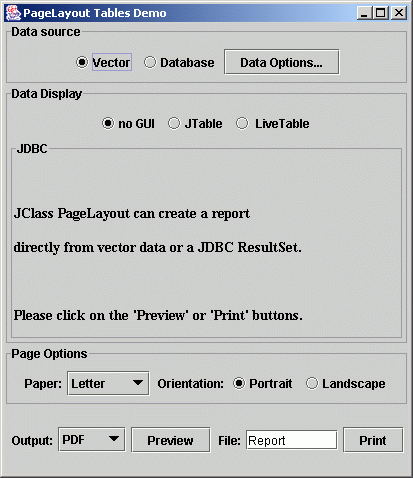
You can run it with:
java mainor
java demos.pagelayout.tables.TablesDemo
This program demonstrates the use of JClass PageLayout to format and print a table generated from vector data or data provided by a query to a JDBC database.You can run it with:
java mainorjava demos.pagelayout.tables.TablesDemo
The document containing the table is defined in
TableFlow.java. This document can be
created without the GUI and run like:
java demos.pagelayout.tables.TableFlow -pdf > Report.pdfOther valid arguments are:
        -awt AWT Printer
        -awt11 AWT 1.1 Printer
        -html HTML Printer
        -pcl HP PCL 5 Printer
        -pdf Adobe Acrobat PDF Printer
        -ps  Adobe PostScript Level 2 Printer
        -screen AWT Previewer
Data from the view is formatted into tables according to the source in
VectorView.java,
JDBCView.java,
JTableView.java and
JCTableView.java.
TablesDemo.java creates the
GUI to display the table data source and dataview options together with the
generic Print/Preview panel
PrintActionPanel.java.
TablesDemo attaches the document to the print panel
using the
DocumentFlow.java interface.
Copyright© 1997-2002 KL Group Inc.